
Everything SimIQ does with your swing
- Automatic recording on every shot
- Two angles, perfectly synchronised
- Frame stepping & slow motion
- High-speed camera support
- Live digital mirror between shots
- 3D body tracking from the video
- Shoulder turn, tempo, sway & more
- Swing positions auto-detected
- Launch-monitor ball data per shot
- Ranked swing-fault detection
- Ball flight tied to swing cause
- Bands scaled to your handicap
- Session patterns, not one-offs
- AI coach that has seen your swing
- One prioritised thing to work on
- Feels & range drills per fault
- Progress tracked across sessions
Your swing from both sides, in perfect sync
Hit a shot and the replay is on screen before the ball has landed — down the line and face on, automatically, with no button pressed. Slow it down or step through impact frame by frame; both views move together, so what you see from one side always matches the other. Draw on the video and your notes stay with the shot.


Ranked faults, honest numbers
Every shot gets a report built from your swing video and your launch monitor's ball data: shoulder turn, tempo, sway, club path and more. Findings are ranked by severity and judged against bands scaled to your handicap — a scratch player and a 20 handicap aren't held to the same line.
A coach that has actually seen your swing
Ask anything. The coach sees your key swing frames from both angles, your body metrics, and the shot's ball data — so the answer is about your move, not a generic tip. It keeps a journal per golfer and remembers what you worked on last time.
Patterns, not one‑offs
One bad swing is noise. SimIQ only headlines a fault when it repeats across the session, shows whether it got better or worse as you went, and pairs each one with a range drill. Strengths get called out too — so you know what to keep.
Inside the app
This is SimIQ replaying a real shot. Flip between the views and hover the markers to see what everything does.


The session follows you home
Sync‑enabled sessions replicate to the cloud as you hit. When a session settles, the graded report lands on your phone — and every swing, every number and every ball flight is waiting wherever you are.
Your swings and your numbers, in your pocket
Replay any swing with both angles in sync — slow motion, frame stepping and the shot's full launch data. On the course, check your real per‑club carry and dispersion before you pull the club.


Review from the couch, on the big screen
SimIQ is available on Apple TV. Step through any swing frame by frame with both angles side by side, the full launch data beneath, and the session's dispersion and ball flight drawn on the big screen.

Your sessions, on any screen
Open swing‑iq.golf on any laptop or tablet and your golf is there — every session, graded report and swing replay. Export any swing as a single side‑by‑side video to share.

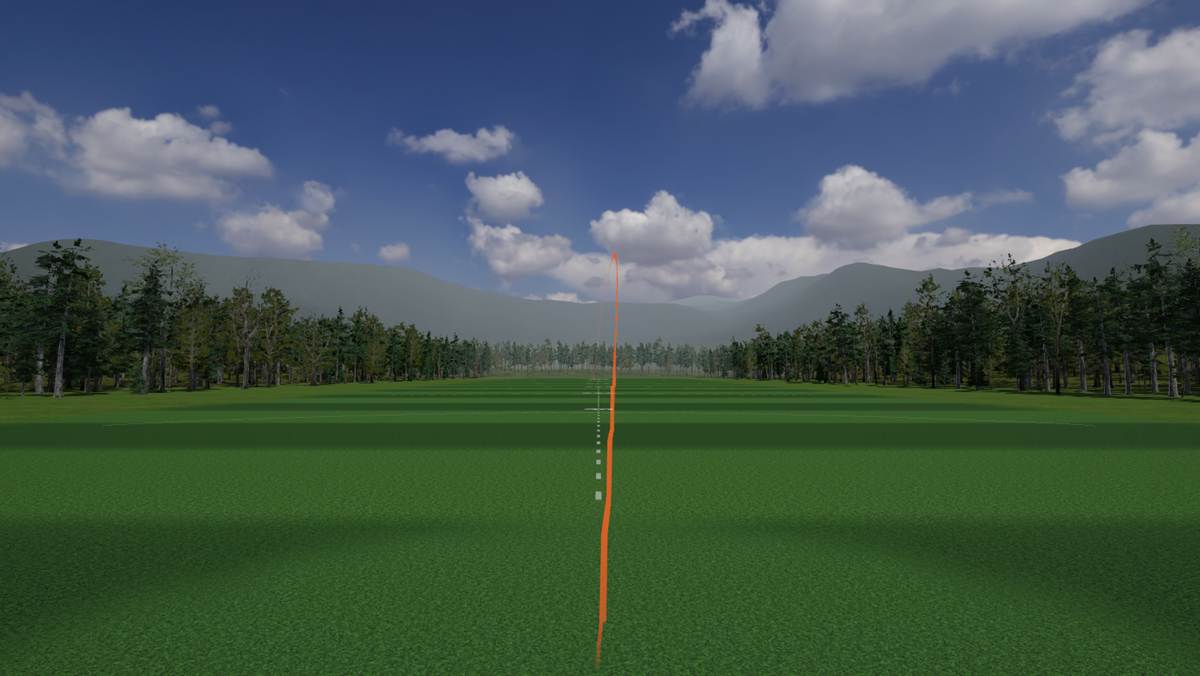
A 3D range on your projector or second screen
Every shot flies on a full 3D driving range — your real carry, curve and height, drawn as you hit. Put it on the impact screen or a side monitor; it follows the session automatically.
Guided gapping sessions
Work through your bag club by club and finish with clean, current carry numbers — with outliers and mishits filtered out automatically. Set the results as your new baseline in one click.